
GuideBeginner
Create consistent visuals for your presentations
Freepik lets you maintain a unified presentation style by creating custom AI styles that generate consistent visuals across all your slides.
Required tools
None required
Updated
Jan 30, 2026

Guide preview locked
The Rundown: Freepik lets you maintain a unified presentation style by creating custom AI styles that generate consistent visuals across all your slides.
🧰 Who is this useful for:
- Presenters needing cohesive visual themes
- Teachers creating engaging slide decks
- Sales teams building professional pitches
- Students working on academic presentations
STEP 1: Getting Started
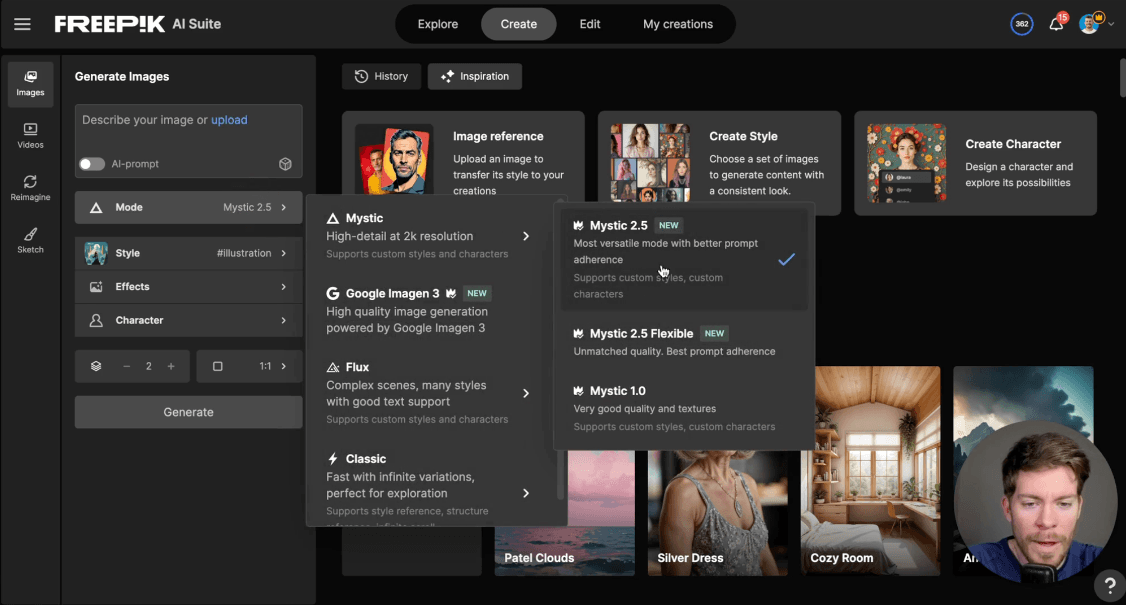
Head over to the Create tab in Freepik AI Suite's dashboard. On the left sidebar, locate the Style section and click the plus (+) icon to create a new custom style. Give your style a name that represents your presentation theme.

Note: Find your free premium...